Meeting Room Occupancy Digital Signage: How Real-Time Status Boosts Utilization (2026)
Introduction
You know the feeling. You walk down the hallway, coffee in hand, checking three different rooms before you find one that's actually free. Or worse—you booked a room, but someone else is already inside. Meanwhile, a room marked "occupied" sits empty because the meeting was cancelled at the last minute.
These everyday frustrations cost companies more than they realize. Employees waste 5–10 minutes per day searching for available rooms. Ghost meetings—booked but unused—waste valuable space. And meeting room utilization often hovers around 20–30% idle.
This is where meeting room occupancy digital signage comes in. Unlike a simple calendar display, occupancy signage shows real-time status, integrates with your booking system, and automatically releases rooms when no one checks in.
If you're new to digital signage for meeting room status, start with our complete guide. If you've already compared modern signage with traditional displays, this article takes the next step: how occupancy-focused digital signage boosts utilization, reduces ghost meetings, and delivers measurable ROI.
What Is Meeting Room Occupancy Digital Signage?
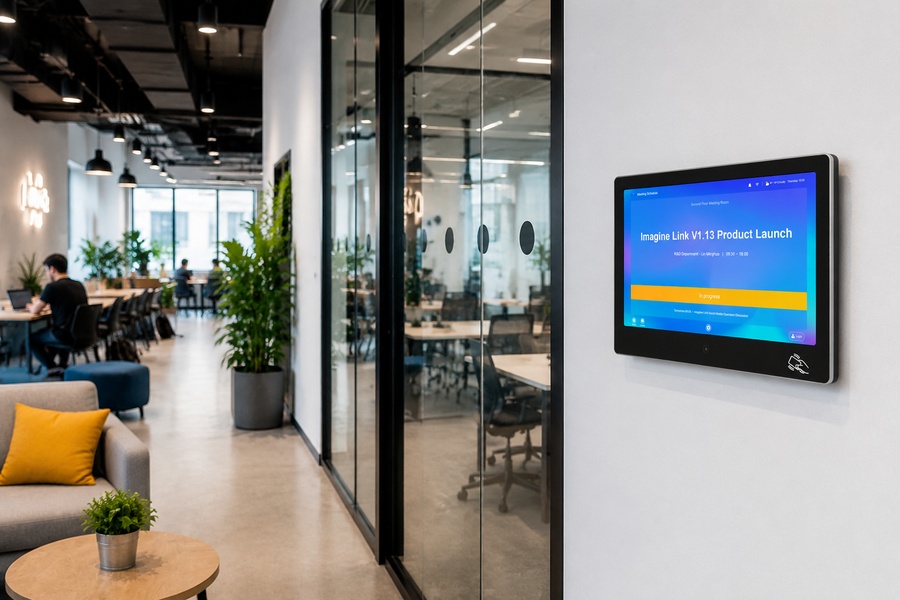
Meeting room occupancy digital signage is a specialized type of meeting room digital signage that focuses on real-time occupancy. It shows whether a room is available, occupied, or about to be booked—and it updates automatically as meetings are created, changed, or cancelled.
While digital signage for meeting room status covers the broader category—availability, schedule, and room status—occupancy signage goes one step further. It tracks actual usage, enforces check-in, and releases unused rooms. For a full comparison with traditional displays, see our guide to digital signage for meeting room status vs traditional displays.
This makes it especially valuable for conference room digital signage deployments in offices with high demand and limited space.
Key capabilities include:
- Real-time occupancy status
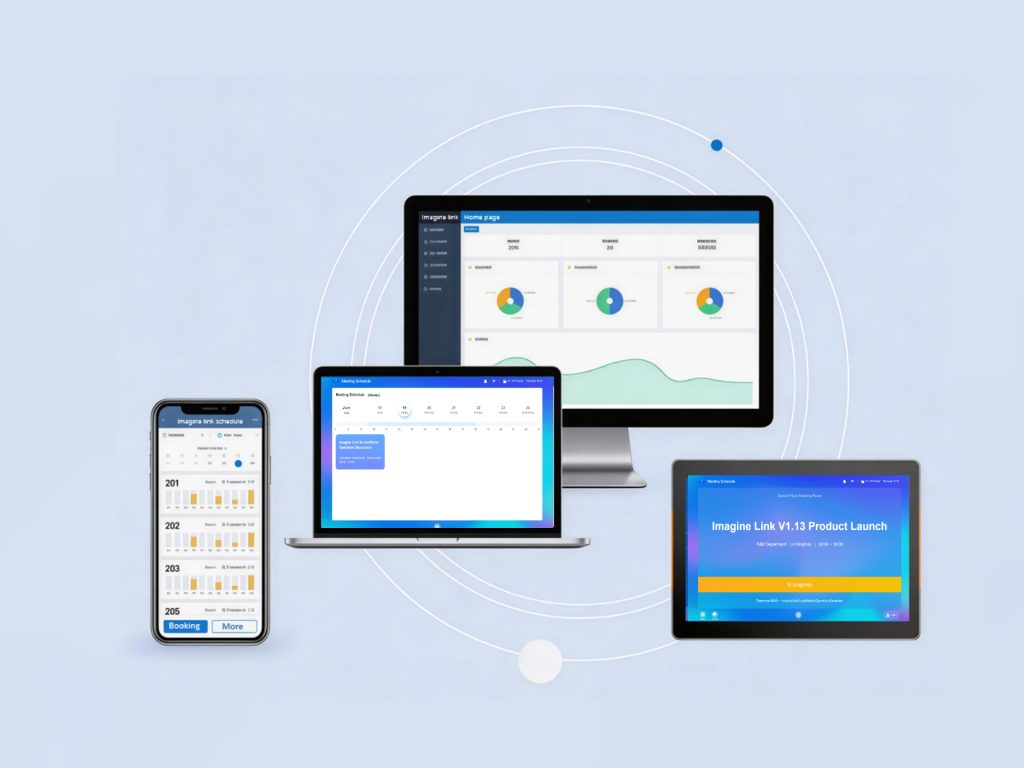
- Calendar sync with Office 365, Google Calendar, DingTalk, WeCom, and Feishu
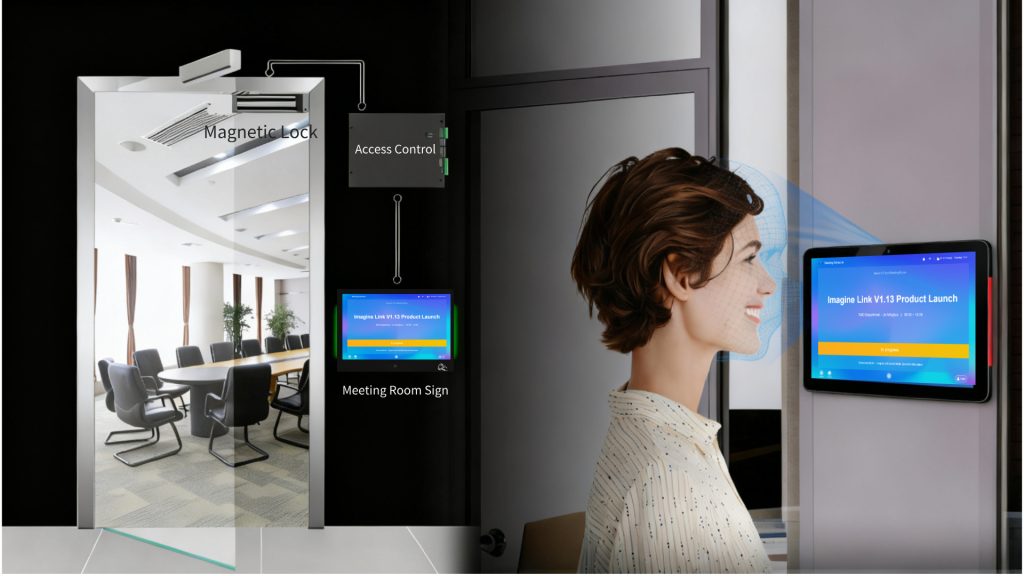
- Check-in via touchscreen, face recognition, or IC/ID card
- Auto-release for no-show meetings
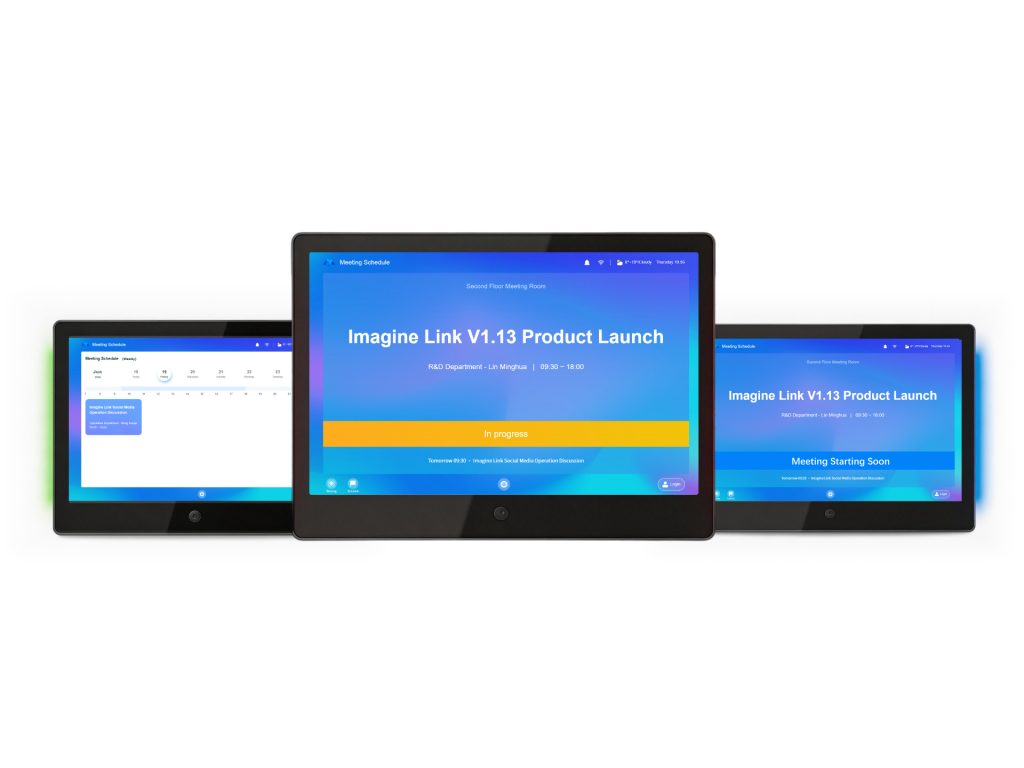
- Tri-color LED strips visible from down the hall
- Integration with access control, lighting, and HVAC
How Real-Time Occupancy Works: Calendar Sync, Check-In, Auto-Release
Real-time occupancy is not magic—it's a simple workflow that connects your calendar, the display, and your check-in method.
1. Calendar Sync
The signage pulls live data from your calendar system. When someone books, changes, or cancels a meeting in Google Calendar or Outlook, the display updates in seconds.
2. Check-In Required
When a meeting starts, attendees check in via the touchscreen, face recognition, or IC/ID card. If no one checks in within a set time, the system automatically releases the room.
3. Auto-Release
Unused rooms become available for others. This single feature eliminates ghost meetings and significantly improves utilization.
4. Status Display
Tri-color LED strips show room status from down the hall: green for available, red for occupied, blue for upcoming.
| Feature | Traditional Booking Displays | Meeting Room Occupancy Digital Signage |
|---|---|---|
| Real-time occupancy | ❌ Manual or none | ✅ Automatic |
| Check-in required | ❌ No | ✅ Yes |
| Auto-release | ❌ No | ✅ Yes |
| Calendar sync | ❌ Limited | ✅ Full (Office 365, Google, DingTalk, WeCom, Feishu) |
| Utilization improvement | ❌ 0–5% | ✅ 20–30% |
Meeting Room Digital Door Signage: Status Visible from Down the Hall
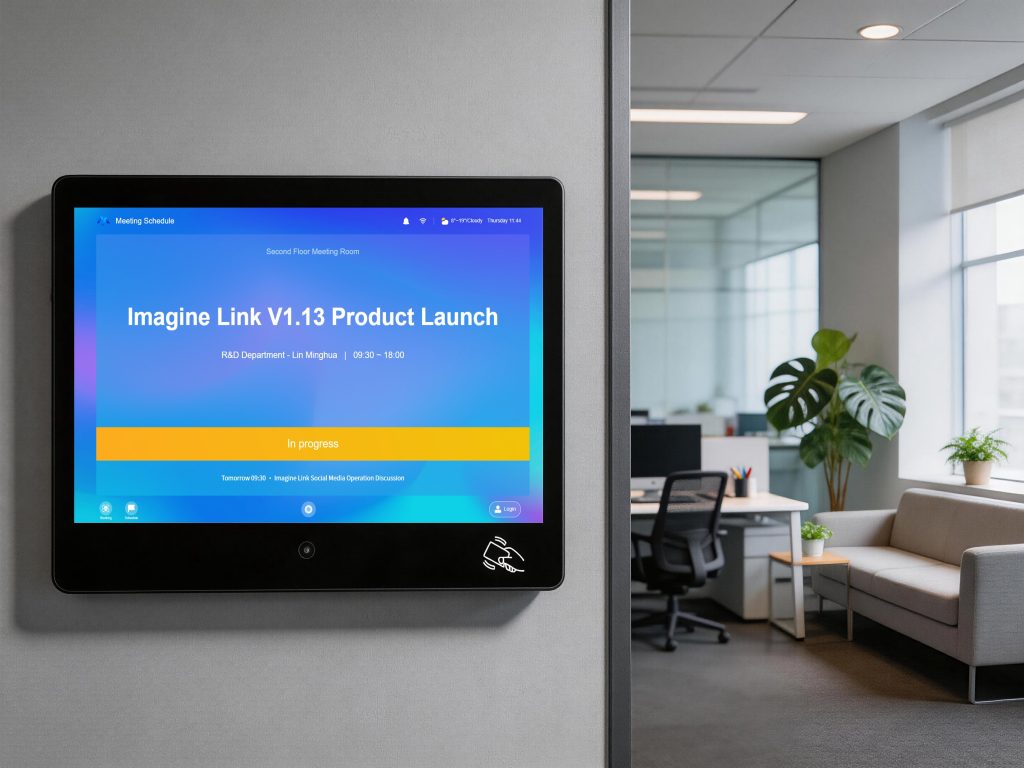
Meeting room digital door signage is the visible face of occupancy management. Mounted outside the room, it shows status at a glance.
Modern door signage includes:
- 10.1-inch display with 1280×800 resolution
- Tri-color LED strips (red/green/blue) on both sides
- 10-point capacitive touchscreen
- 2MP camera for face recognition
- 13mm ultra-slim wall-mounted design
- Low power consumption: ≤10W operating, ≤1W standby
With meeting room digital door signage, employees can see availability from 30 feet away. No more walking up to the door, no more interrupting meetings. Explore our meeting room digital signage solution for a 10.1-inch display with tri-color LED.
How Meeting Room Occupancy Digital Signage Boosts Utilization by 20–30%
The impact of occupancy signage on room utilization is well documented. Companies using meeting room digital signage report:
- 25% fewer scheduling conflicts
- 20–30% improvement in room utilization
- 10+ hours per week saved in administrative time
- 5–10 minutes per employee per day saved searching for rooms
These gains come from three mechanisms:
- Real-time visibility — employees find available rooms faster.
- Check-in enforcement — no-shows release rooms automatically.
- Utilization analytics — facility teams identify underused rooms and optimize space.
| Metric | Before Occupancy Signage | After Occupancy Signage |
|---|---|---|
| Room utilization | 50–60% | 70–80% |
| Ghost meetings | 20–30% of bookings | <5% |
| Time spent searching | 5–10 min/day | <2 min/day |
| Administrative time | 10+ hours/week | 2–3 hours/week |
Reducing Ghost Meetings and Double Bookings
Ghost meetings and double bookings are the two biggest sources of frustration in shared spaces. Meeting room occupancy digital signage tackles both.
Ghost Meetings
A ghost meeting is a booking where no one shows up. With check-in required, the room is released automatically after a set period—usually 5–10 minutes. This makes the room available for others.
Double Bookings
Real-time calendar sync prevents double bookings. If two people try to book the same room, the system detects the conflict immediately.
No-Show Meetings
No-shows are a subset of ghost meetings. Occupancy signage turns no-shows into opportunities by releasing the room and notifying waiting employees.
Integration with Office 365, Google Calendar, DingTalk, WeCom, and Feishu
Occupancy signage must integrate with your existing tools. The best solutions support:
- Microsoft Office 365 (Outlook/Exchange)
- Google Workspace (Google Calendar)
- DingTalk, WeCom, Feishu
- Private enterprise OA systems via API
When a meeting is booked, changed, or cancelled in any of these systems, the display updates automatically. No data silos. No confusion.
Beyond calendar integration, occupancy signage can connect to IoT devices—access control, lighting, and HVAC—creating a seamless "arrive, open, ready" experience.
ROI of Meeting Room Occupancy Digital Signage
Occupancy signage is an investment that pays for itself. Here's a simple ROI model for a 10-room office:
| Cost Factor | Traditional Displays | Occupancy Digital Signage |
|---|---|---|
| Hardware (per room) | $0–$300 | $500–$1,500 |
| Installation | Minimal | Moderate |
| Administrative time | 10+ hours/week | 2–3 hours/week |
| Ghost meetings | 20–30% of bookings | <5% |
| Room utilization | 50–60% | 70–80% |
| 5-year TCO | Often higher | Often lower |
For most offices with more than a handful of meeting rooms, occupancy signage pays for itself within 6–12 months through improved efficiency and utilization.
Frequently Asked Questions
What is meeting room occupancy digital signage?
Meeting room occupancy digital signage is a type of meeting room digital signage that shows real-time occupancy status—available, occupied, or about to be booked. It syncs with calendars, enforces check-in, and auto-releases unused rooms.
How does digital signage for meeting room status relate to occupancy signage?
Digital signage for meeting room status is the broader category—it shows availability, schedule, and room status. Meeting room occupancy digital signage is a specialized type that focuses on real-time occupancy, check-in, and auto-release to improve utilization.
How does real-time occupancy reduce ghost meetings?
When a meeting is booked but no one checks in, the system automatically releases the room after a set period. This makes the room available for others and eliminates ghost meetings.
Can conference room digital signage integrate with Office 365 and Google Calendar?
Yes. Modern conference room digital signage integrates with Microsoft Office 365, Google Calendar, DingTalk, WeCom, and Feishu—with API support for private enterprise OA systems.
What is meeting room digital door signage?
Meeting room digital door signage is the display mounted outside the room. It shows real-time status via tri-color LEDs, supports touchscreen check-in, and can integrate with access control and IoT devices.
How much does meeting room digital signage cost?
Hardware typically ranges from $500–$1,500 per room, with ongoing software licensing. However, the 20–30% improvement in room utilization and elimination of administrative overhead often means the solution pays for itself within months.
Still have questions? Contact our team for a free consultation.
Conclusion
Meeting room occupancy digital signage is more than a calendar display. It's a real-time system that reduces ghost meetings, boosts utilization by 20–30%, and integrates with your entire workplace ecosystem.
If you're still relying on traditional booking displays or basic calendar screens, you're leaving valuable space and time on the table. Occupancy signage solves the problem—and pays for itself.
Ready to see how meeting room occupancy digital signage can transform your office? Explore our meeting room digital signage solution—a 10.1" wall-mounted display with tri-color LED, face recognition check-in, and seamless integration with Microsoft Office 365, Google Calendar, DingTalk, WeCom, and Feishu.
This article is part of our Meeting Room Signage Series. Start with our complete guide to digital signage for meeting room status, then read our comparison of digital signage for meeting room status vs traditional displays.